
Make It Easier to Get Help
Compare routing, queues, callbacks, and supported digital channels around how customers contact your business.
Compare contact center platforms around your customer journeys. CFC helps evaluate routing, agent workflows, CRM integrations, reporting, AI, pricing, and implementation.
Contact Center Solutions
Help customers reach the right person and give agents better tools to respond. CFC helps compare contact center platforms around your workflows, integrations, reporting, and AI priorities.
Talk With CFCA contact center project is more than a dial tone or a seat license. Routing, queues, digital channels, customer history, agent workflows, and reporting all shape the experience.
We help turn your requirements into practical evaluation scenarios, then coordinate the provider demos and proposals that show how each option would work for your team.

Compare routing, queues, callbacks, and supported digital channels around how customers contact your business.
Review CRM integrations, customer history, knowledge access, and AI assistance that can reduce repetitive work.
Evaluate reporting, quality management, recording, and coaching around the measures your supervisors actually need.
Inside the Platforms
Make the interface part of the buying decision. Compare real tasks in a live demo: find a customer, handle a transfer, recover a difficult interaction and see which queues need attention.

Give leaders a clear view of queue conditions and agent activity. Compare live monitoring, alerts and coaching alongside the metrics you want on a shared display.
Wallboards and supervisor dashboards serve different audiences. CFC helps specify the layout, permissions, metrics and refresh behavior for each.
See an Official 8x8 Wallboard Example ↗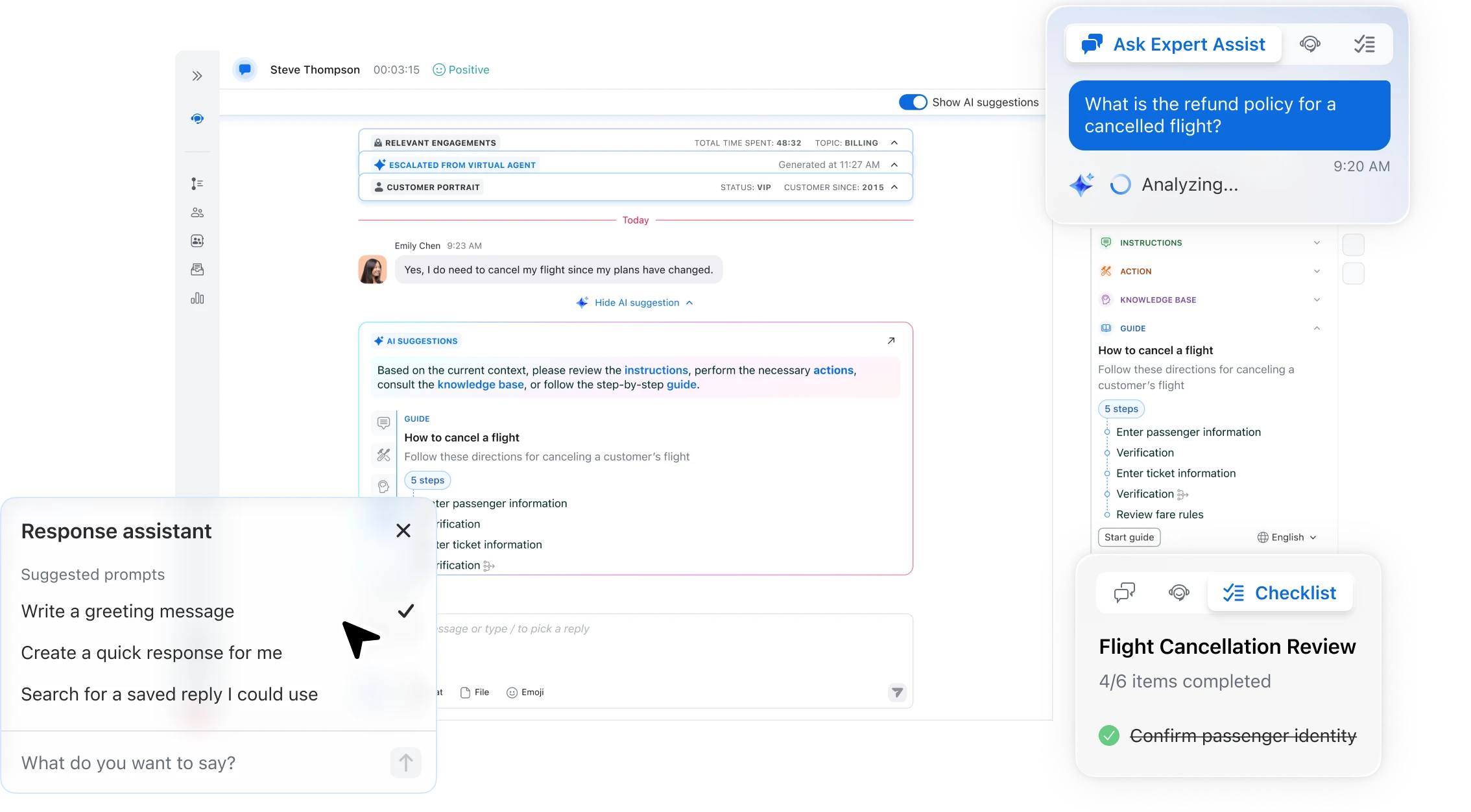
Evaluate knowledge access, suggested actions and workflow assistance while the agent stays focused on the customer.
Explore Zoom AI Expert Assist ↗
Explore AI-generated evaluations and coaching opportunities. Confirm evaluation forms, coverage, supervisor review and the appeal process.
View Zoom’s Auto QM Overview ↗
Compare how operational dashboards put agent and team measures together. Ask for a current demonstration using your KPIs.
See Five9’s Dashboard Demo Page ↗Provider demo page requires registration.

See a real queue-summary wallboard example. Define the queues, metrics and alert thresholds your team needs, then compare the provider’s current display options.
View the Full Wallboard Screenshot ↗Official 8x8 documentation example; sample queues and data.
Official provider product visuals. Screens may show sample data and optional features; layouts and availability change by product, package and configuration.
AI Across the Customer Journey
Start with the work you want to improve. Then test the AI against real customer questions, your knowledge sources and the situations that require a person.
Evaluate voice and digital virtual agents for common questions, authentication and supported self-service workflows. Check when they transfer, what context follows the customer and what happens when the answer is uncertain.
Compare knowledge retrieval, suggested responses, live transcripts and dynamic checklists. RingCX AVA Agent Assist and Zoom AI Expert Assist are examples to demonstrate using your own approved content.
Explore summaries, dispositions, handover notes and follow-up tasks. For CRM updates or other system actions, verify the integration, permissions, human approvals and what is actually automated.
Assess quality evaluations, conversation analysis and supervisor alerts. Keep review and calibration in the process so AI-generated scores and sentiment are useful inputs to judgment.
Use representative questions, an unsupported request, an upset customer, an integration failure and a transfer to a person. Inspect the answer sources, handoff context, generated notes and completed system actions. Review data handling, retention, access, usage charges and ongoing ownership before rollout.
Zoom Workforce Management
Zoom’s AI-powered workforce management tools help forecast contact demand, build schedules and monitor intraday conditions. Evaluate staffing by channel, skills, availability and service objectives.
Keep the roles clear: workforce management supports forecasting, scheduling and coverage. Quality management supports interaction reviews, evaluations and coaching.
Explore AI for Staffing & Quality →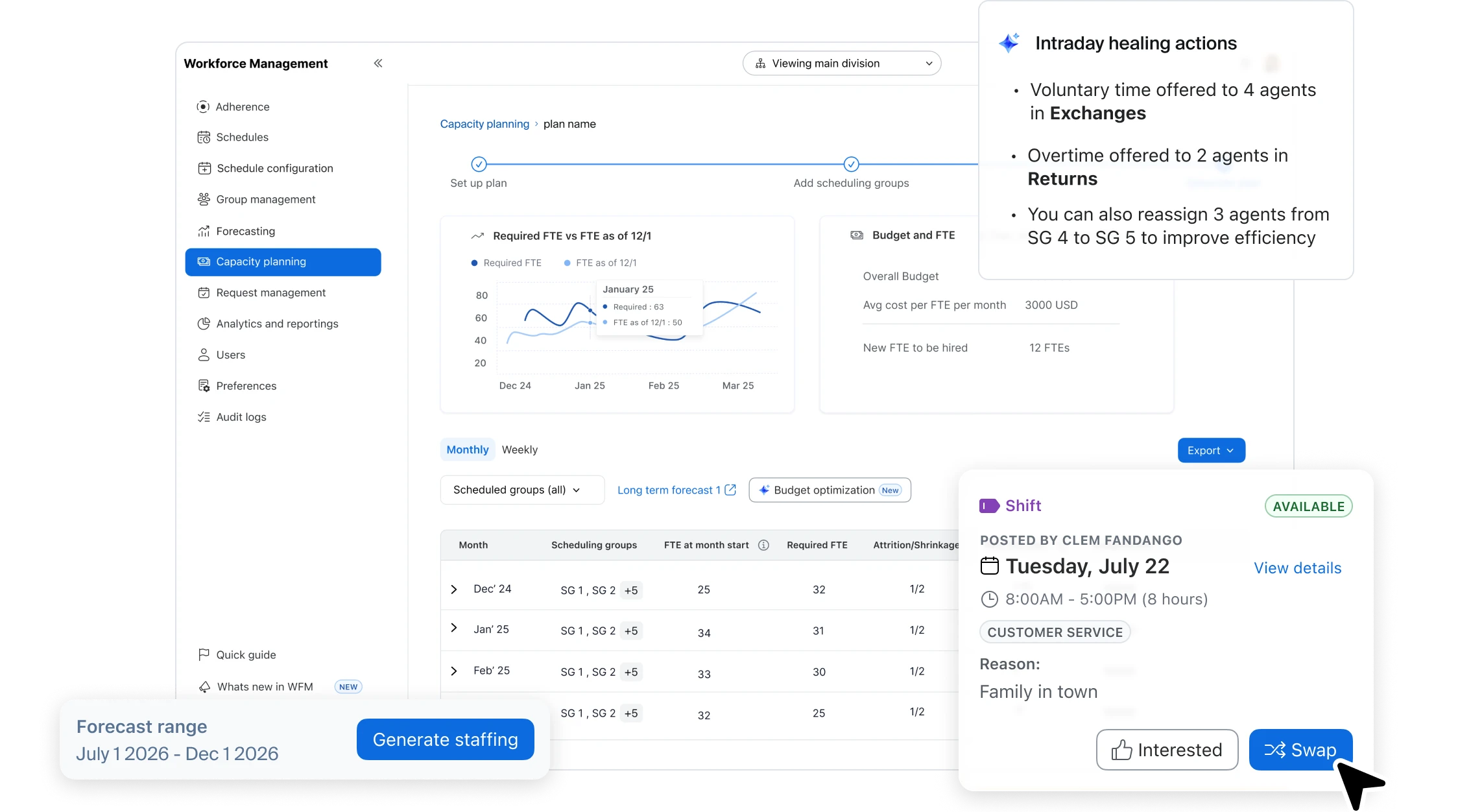
We help compare a complete operating solution, including:
CFC Handles the Legwork
We coordinate conversations with relevant providers, including Five9, Genesys, and other options in our portfolio. We help keep the evaluation grounded in your customer journeys rather than a generic feature tour.
After selection, we help coordinate the transition, address billing discrepancies, provide renewal notices, and escalate provider issues. That’s the Customer First commitment in practice.
Explore Our Provider NetworkThe answer depends on your routing, channels, reporting, staffing, and customer-service workflows. We help distinguish the essential requirements from features your team may not need.
Integration depth varies by platform and CRM. Ask providers to demonstrate the actual workflow, identify any additional licenses, and clarify who builds and supports the integration.
Start with a defined task, such as summaries, knowledge assistance, quality review, or routine customer questions. Evaluate accuracy, handoff to a person, data handling, and total usage costs before expanding.
Bring us your workflows, agent count, current platform, and what you want to improve. We’ll help organize the right evaluation.
Talk With CFC Contact CFC