

























A Familiar Calling Workspace
For organizations already using Zoom, evaluate how Phone fits alongside meetings and collaboration. Compare standalone Phone with bundled subscriptions.
Explore CFC’s provider network across communications, internet, cybersecurity, and managed networking, including Meter and Vigilant. Compare relevant options through one contact.
Our partners are so important in helping us provide you with the most reliable services for your business needs. Customer First Communications is a trusted advisor to not only our clients, but to our providers, as well. We’ve built decade-long relationships with the top Network, Colo, Cloud, and Contact Center providers all across the world.
We leverage those relationships for you so you can gain access to world-class services at below market cost. Plus, our buying power gives you front-of-the-line service in the event of any outages and escalations.






Providers / Zoom

Zoom With Customer First Communications
Explore Zoom Phone, Contact Center and Workforce Management around the way your people work. CFC helps compare calling, AI, integrations and staffing tools without confusing them into one license.
Estimate Zoom Phone PricingTalk With CFCBusiness Phone + Practical AI
Zoom Phone is worth evaluating for teams that want business calling across the Zoom app, mobile devices and supported desk phones, with administration across locations.
Explore call summaries, voicemail prioritization and follow-up tasks. Demonstrate which AI tools are available in the proposed plan and how administrators control access.
See Official Zoom Phone AI Features ↗
For organizations already using Zoom, evaluate how Phone fits alongside meetings and collaboration. Compare standalone Phone with bundled subscriptions.
Review users, sites, emergency calling, shared phones, number porting and device administration as part of one migration plan.
Compare the established Zoom Workplace integration with the newer phone-only plug-in approach. Eligibility, rollout and client requirements need confirmation.
Customer Service Beyond Basic Calling
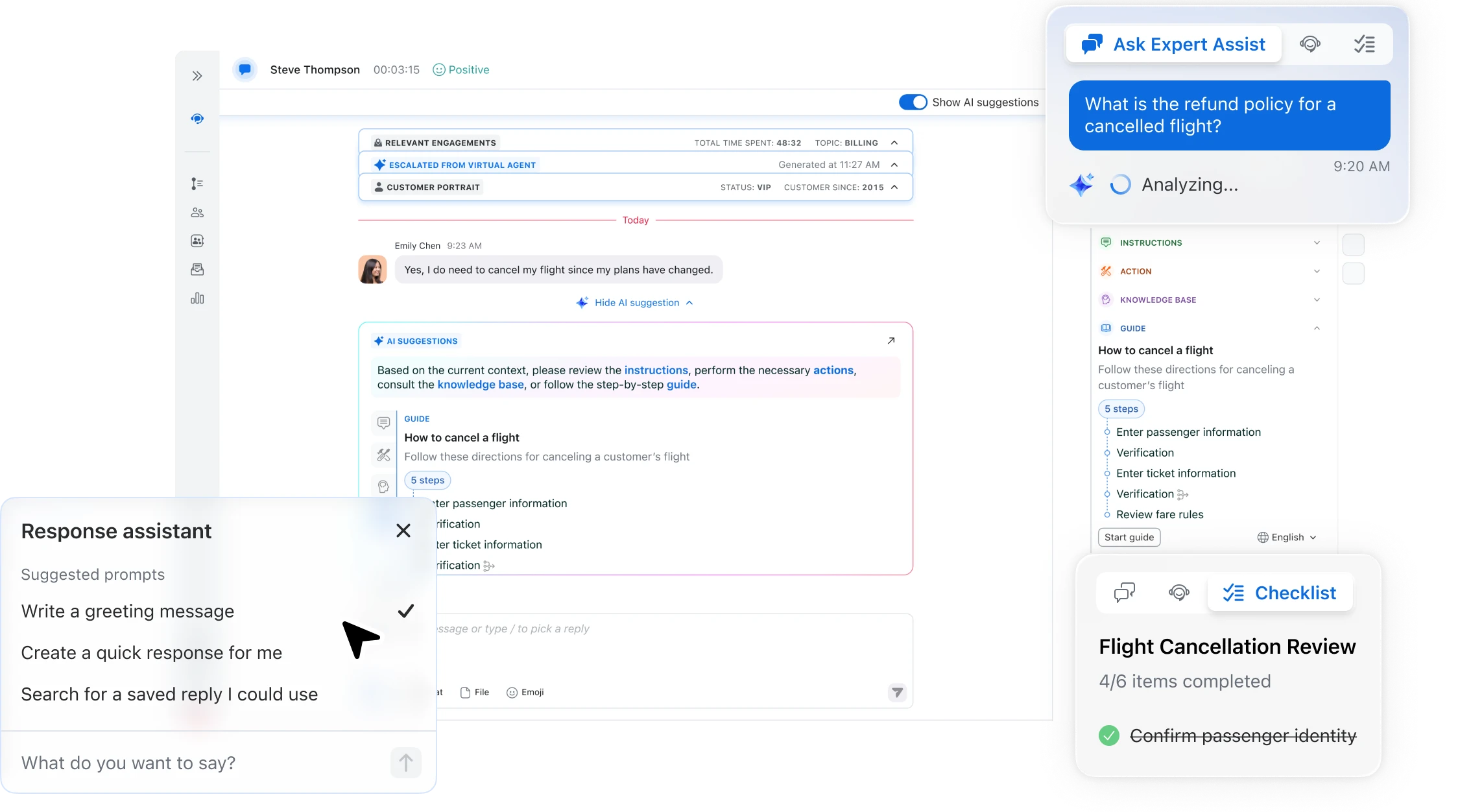
Evaluate Zoom Contact Center and AI Expert Assist for routing, customer context, knowledge assistance and the steps agents repeat during service interactions.
Bring a real customer question. Test how information reaches the agent, what the AI suggests, which actions need approval and what happens when the customer needs a person.
Explore Contact Center Evaluation →Forecast. Schedule. Adjust.
Zoom Workforce Management brings forecasting, scheduling and intraday monitoring into the staffing process. Evaluate it separately from quality management, which reviews interactions and coaching opportunities.
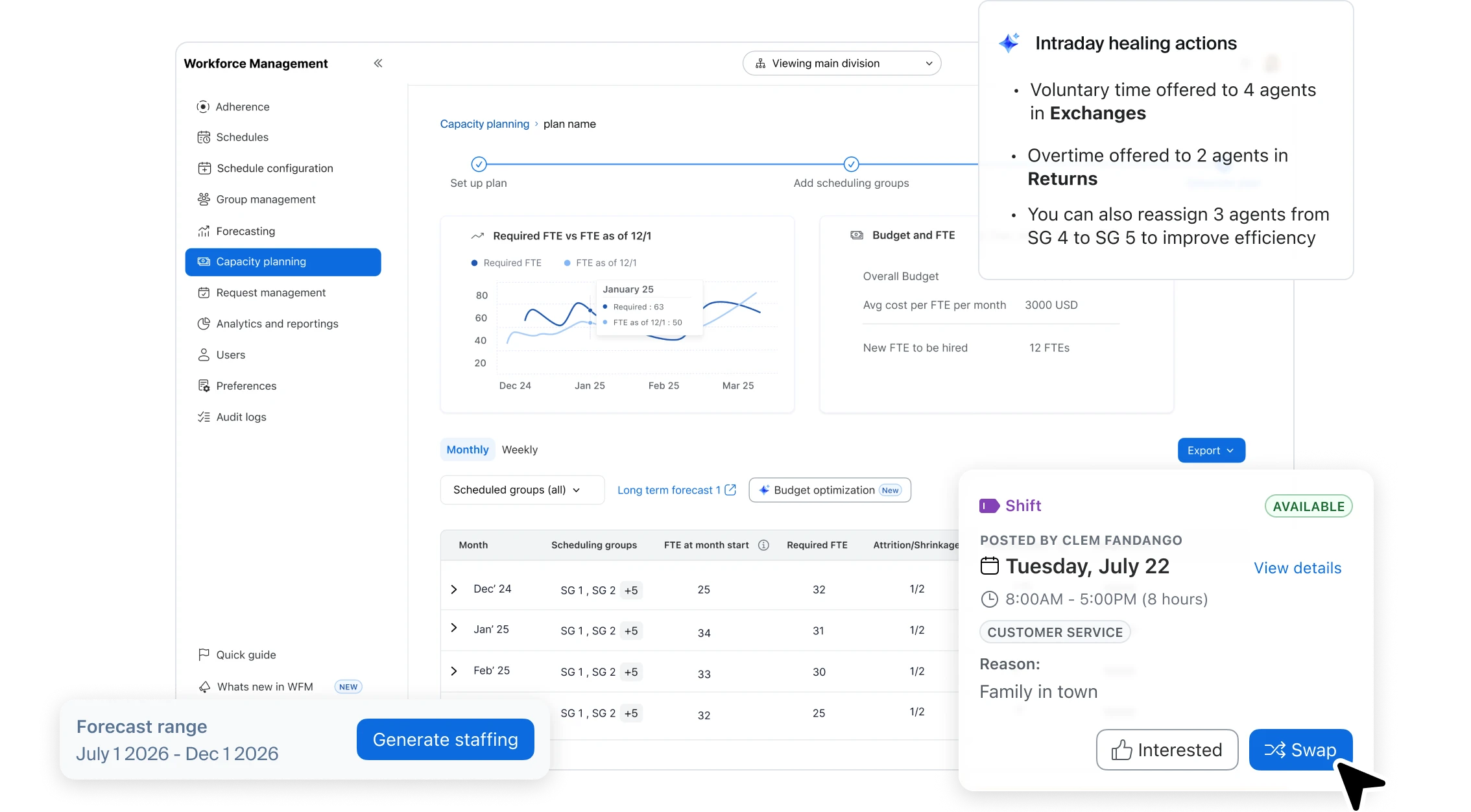
This official overview introduces phone AI workflows. CFC helps verify current feature names, licensing and availability during your evaluation.
Zoom Phone pricing estimates cover the selected calling scope. Contact Center, Workforce Management, Quality Management and AI Receptionist require their own scope and pricing review.
Separate named users from common-area and conference devices. Metered shared licenses can have usage charges. Include extra numbers, toll-free traffic, fax and analog adapters in the scope.
Confirm supported desk phones, purchase or rental costs, configuration, porting, training, emergency calling and go-live ownership. Existing hardware needs a compatibility check.
Ask what is included, where additional licenses are needed and how recordings, transcripts, retention, permissions and human approval are handled.
Official product resources: AI Expert Assist · Workforce Management. Capabilities depend on subscriptions and configuration.
Customer First. Before and After the Decision.
Tell CFC what you need once. We coordinate provider questions, focused demos and proposals so your team can spend less time managing sales calls.
Compare licenses, hardware, implementation, fees and renewal terms. We help negotiate the proposal and clarify who is responsible for each step.
We help coordinate deployment, address billing discrepancies, escalate provider issues, provide renewal notices and share relevant product updates.
Start with a planning estimate. CFC can then verify the complete scope and compare the right combination of calling, devices and customer experience tools.
Get a Budgetary Phone EstimatePlan a Zoom Demo